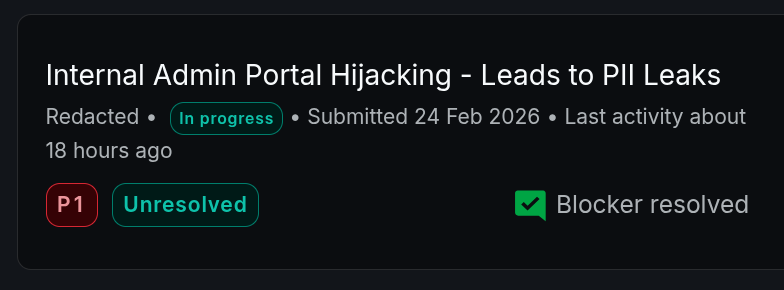
Welcome to my blog, where I share my knowledge with the Bug Bounty Community…
Today, I wanted to write about a bug-hunting story where I was able to take over an admin portal without any username or password. It was a VDP target, but the details may be useful for you.
I found an XSS in this subdomain, and while I was trying to exploit it, I found a “Caido Finding” that was reported by Caido Scanner under the title “Big Redirect”.
A big redirect happens when a web app responds with a redirect status code (e.g. 301, 302), while at the same time returning a full HTML page in the redirect body.
To parse the content of the redirect body in the browser, I created a Caido Match & Replace rule to edit the redirect page status code to “200 OK”. When you enable this rule and open the redirect page in the browser, Caido edits the response and the content of the page is parsed normally without a redirect.
Following is the first Caido Match & Replace rule:
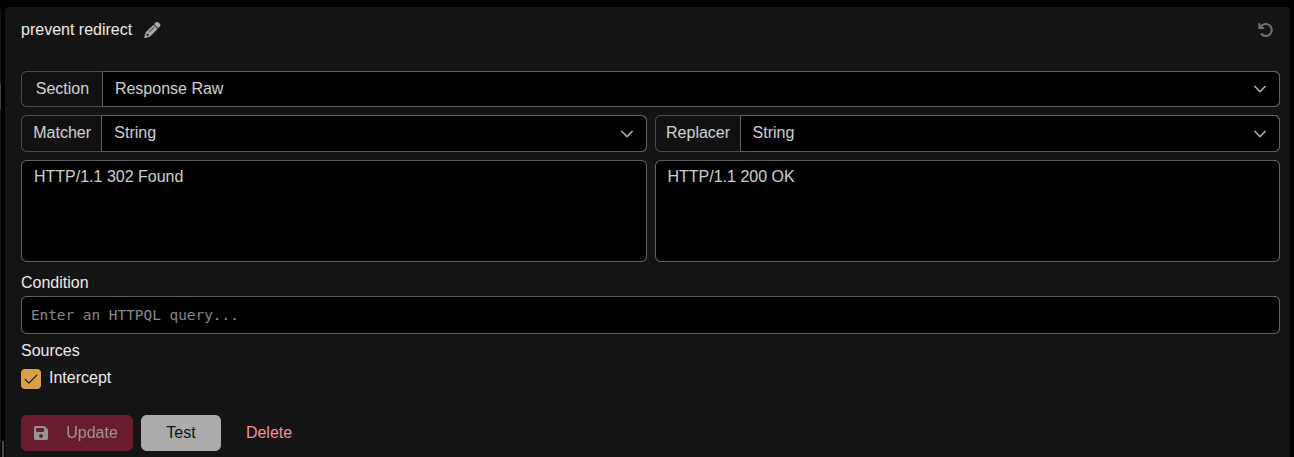
So the first bug was that whenever you requested a page from the portal (for example /admin), the web app would redirect you to the login page, but at the same time it would return the content of this /admin page in the body of the redirect.
At this point I was able to access any page of the admin portal, but I was not able to see any data because the app checked whether I was logged in or not, and of course I was not logged in.
So I started validating the login check in Caido history, and I discovered that the check was done on the client side of the application, and this was the second bug.
To bypass that, and because this check was made in the client-side, I created a second Caido Match & Replace rule to edit the response from the server to be something like (is_logged_in: true).
This is the second Caido Match & Replace rule:
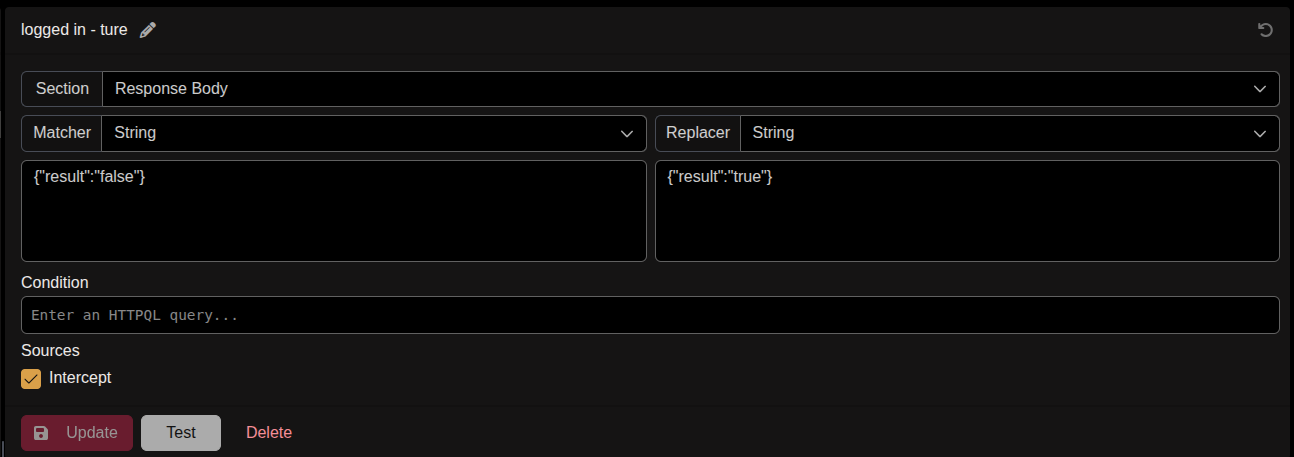
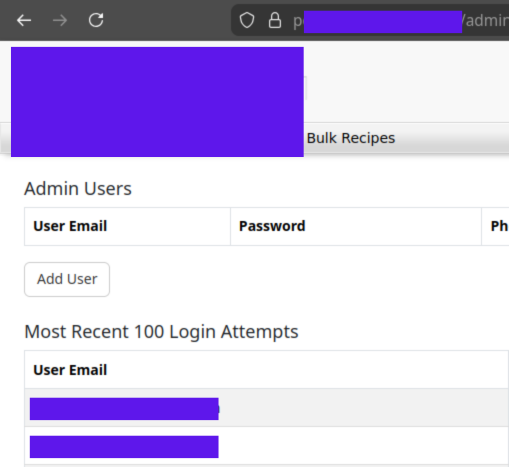
After enabling the two M&R rules, I was able to access any page in the admin portal, view admin information, and use all of the admin functionality.
This is a small part of the admin portal that I was able to access:
Additional Tips
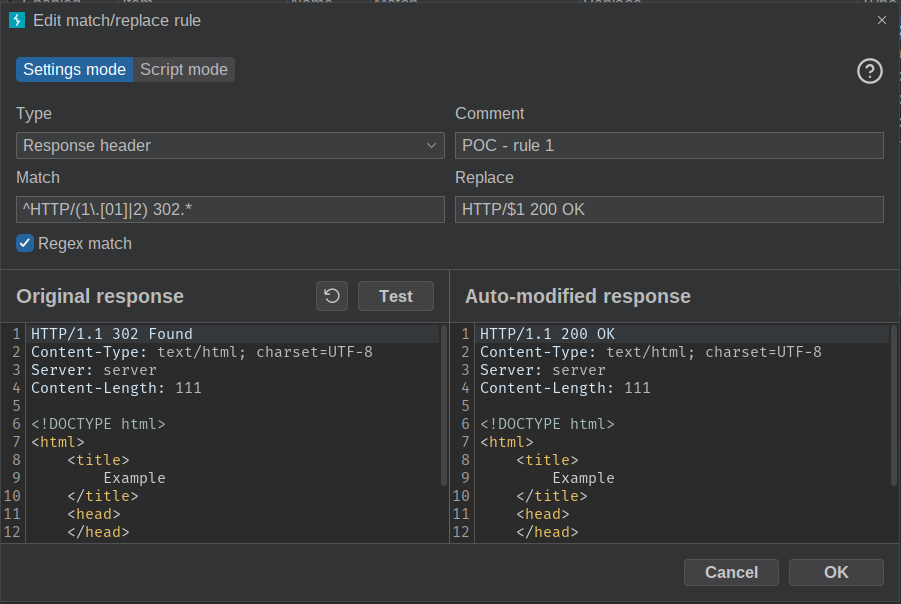
When you try to use Burp Suite to validate “Big Redirect” bug, you should use “Regex match” in the Burp Match & Replace rule, because the normal “Match & Replace” will not work in status code line in Burp, due to the way Burp handles the status code line in the response.
Following is the valid syntax for the Burp Match & Replace rule:
- You can follow me at -> https://x.com/__the7th
- You can chat with me at -> https://t.me/The7G